
Refining the interface, bits & bobs
UpdatesOver the last few days, I've been motivated to work on the general interface for Scribbles. It was already quite unique, in a way, but a lot of areas felt tacked on without much thought — chaos in a simple interface. This is not how I wanted it to be. It's easy to launch new things and just keep layering features without considering how everything fits together.
Scribbles is for writing — and it should get out of the way. That's the philosophy from the start. I believe in good defaults and a few strong opinions — Omakase お任せ — chefs choice. That's enough for pretty much everyone just wanting to write. Of course there are many little settings if you want to go further and tweak things (and not to mention the new custom themes). However, there's a line I don't want to cross — and that is adding so much that the whole experience suffers. I see it all the time — and I myself fall into it too often.
Understandably everyone wants something different from blogging, and the past me decided to support some of these ideas — it's easy to try and please. Saying that, Scribbles would not be where it is today because of the wonderful feedback over the past years! Balance. With that though comes complexity — something I am very aware of. I don't want complexity. I do like the idea of making a blog personal to your taste, but not implement every feature under the sun — because that list will just keep growing and growing. I wrote about Simplifying on my own blog a few months ago, which has slowly been feeding into all of this.
I just want a nice place to blog.
Refined interface
If you've been watching, you probably noticed some changes already. Bad interface decisions out, a calmer and more refined interface coming. It's only been a few days, and I don't know where it all ends up, however the direction is clear. There are many pain points that I want to address over time.
The admin interface is now much cleaner and more refined, focusing on your published posts. And if you have analytics enabled, they will not complement the admin area instead of showing a terrible graph that was taller than a skyscraper — analytics are important to some, but I care more about the writing.
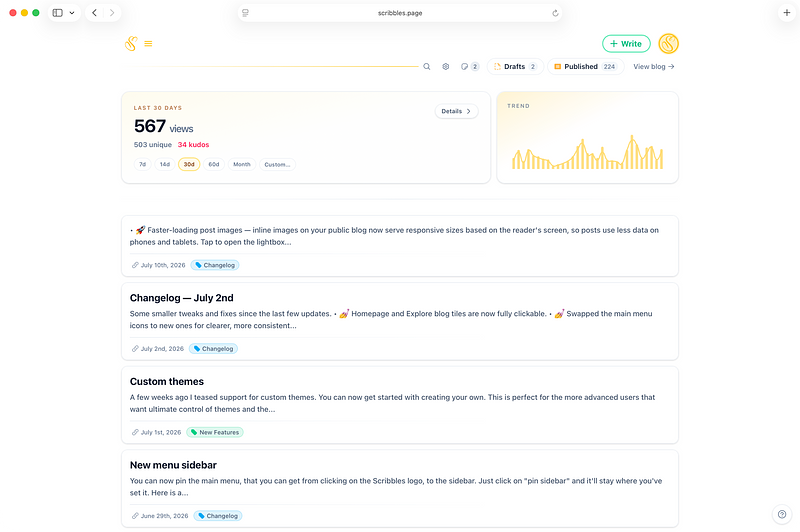
The most important thing is to have a place where you feel comfortable just writing, without the interface getting in the way, yet be powerful enough if you need it to.
Writing should be enjoyable, it should be focused. Easy for everyone, without complexity. Words meaningful.
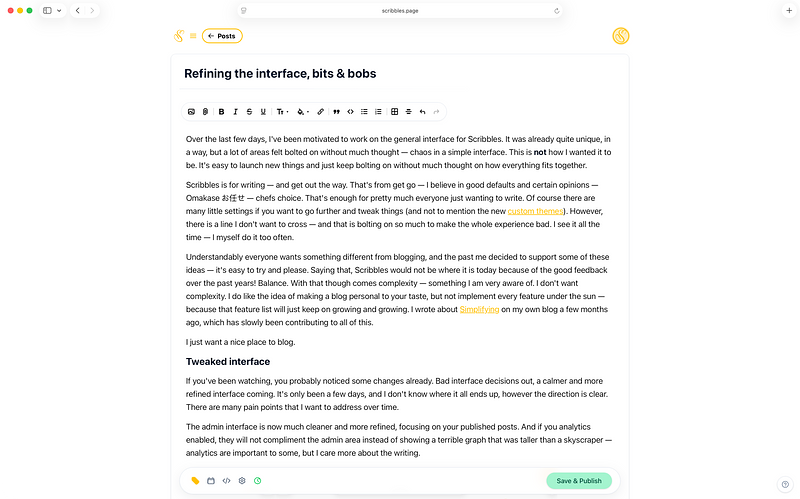
As I explore more areas over the next few weeks, you'll probably see much more being refined as I'll revisit areas that didn't get much love for some time, with the same guiding principles that I want to achieve.
One thing that has been a real pain are blog settings — this is going to be a longer road. I've reworked how you explore settings so you can get to the most important parts, whilst trying to simplify and not overwhelm. That includes some common things, some questions and a better search — whilst also combining areas that should have been together in the first place.
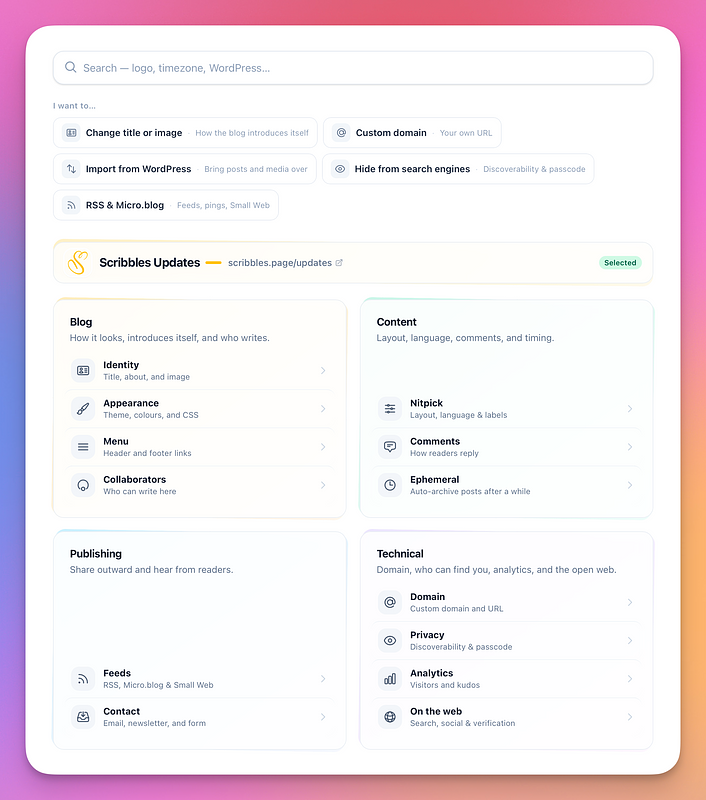
The internal settings option still need work, and you'll see me work on this as I figure it out. For most, the defaults are enough and I hope that most people stay out of settings once they're happy. But for the time you need to spend there, it needs to become much better than it is now.
Explore, Send a Scribble
Additionally to the above tweaks, you'll see changes across the account screen, header areas and most important Explore.
Explore is special, even if it is small and quiet — that's how I like it. And often a lot of bloggers don't want to add their blog here or actually don't know how (I want to improve this and make it clearer you can do so). It's a small heartbeat of Scribbles, for the people that want to. A brook of posts.
I think it's best you go ahead and explore it as a screenshot will not do it any justice. I've added a better display of important bits. From reading the latest posts, to finding random blogs, to surfacing image only posts.
For blogs that have the Send a Scribble enabled, you'll now be shown that interface right there on the blog, with easy login when they're using a custom domain, so you never leave the page.
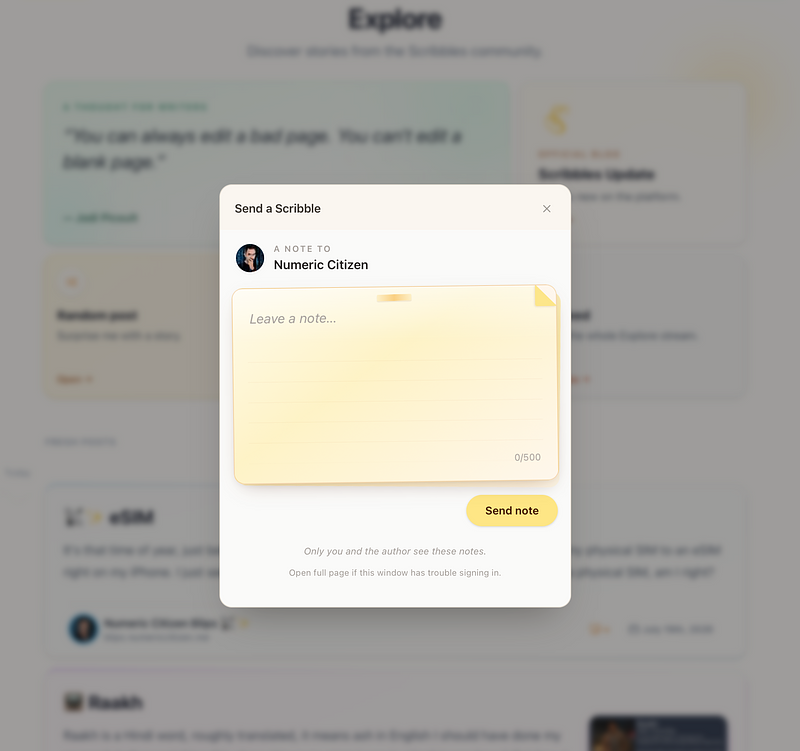
And yeah, a tweaked design also here including all your incoming scribbles. Refining. One at a time.
Passkeys
One thing I added is support for Passkeys — so it's easy to log in. Just head on over to your account settings, under Login & Security and set it up. When you ever land on the sign in page, it'll automatically ask you (when set up) — one less thing to think about and less buttons to press.
Bits & Bobs
There are many little small things too, and one bigger feature that I will announce later.
I'm re-evaluating some options, for example Sticky Notes (something I was playing around with some time ago). For new accounts this is turned off by default and you can easily enable it in your settings. More for me to explore here. A few blog settings have also been removed, so that the experience is more consistent across different blogs.
Hope you like what I'm doing and where it's all heading — even if I'm just starting.
✌️❤️
— Vincent