
Analytics dashboard with Tinylytics
New FeaturesIf you're using Tinylytics for your blog, Scribbles now surface this data straight in your dashboard. It's all automatic and you don't have to do anything extra — just add your Tinylytics code to your blog, write, gain some visitors and the analytics will flow straight in.
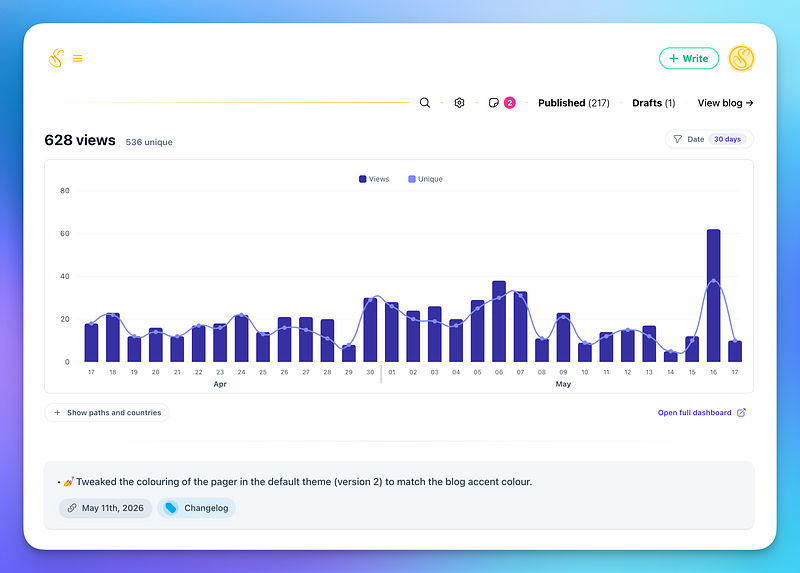
It's super simple and it allows you to filter by date, using quick filter, or custom dates. Additionally you can filter by path or country. If you need more, you can head on over to the main Tinylytics dashboard.
Whilst Tinylytics is powerful I kept everything minimal for now. If there are requests to bring more data across, let me know and I'll make it happen.
With everything enabled, you can also see a small analytics pill on your post edit screen. Clicking on it will show you a proper graph as on the main dashboard.
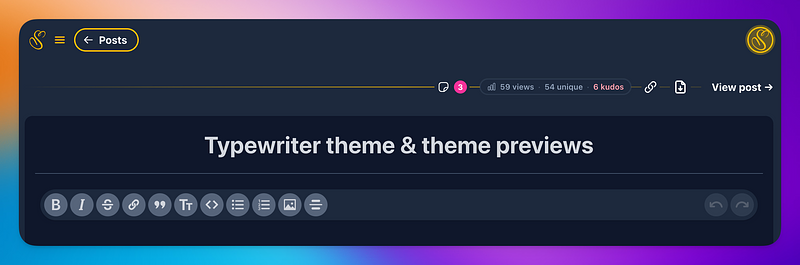
If you have any Kudos, it'll also show.
As I own both projects this was a blast to implement and hopefully minimal enough without adding too much clutter.
And, if you don't want to see analytics on your blogging platform, you can turn this off in the "Analytics" settings on your blog. Simple.
Enjoy.
✌️❤️
— Vincent